I'm Not a Developer. Here's What I Built With Claude in 15 Days
The full story behind these prompts - a real product shipped solo in 15 days.
Read more →Not generic examples - the real document, content, and planning prompts behind a live 15-day product launch, with the lesson behind each one. Copy them, adapt the bracketed parts, and use them on your own work.
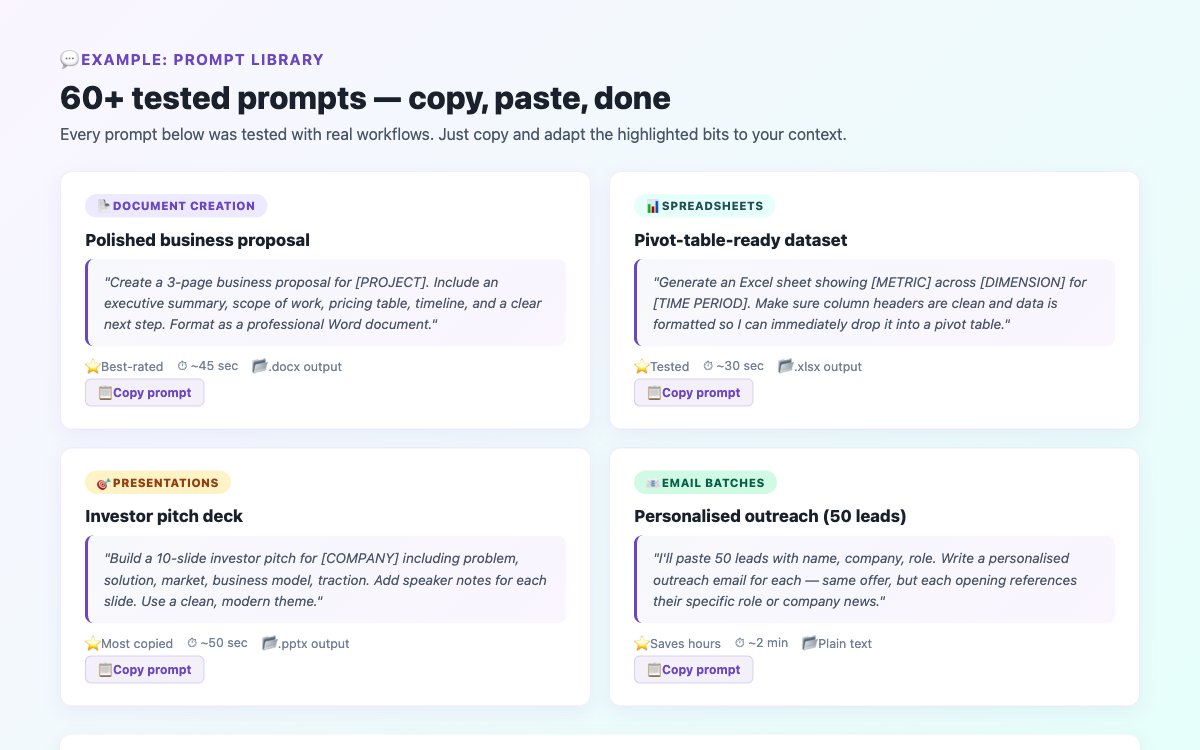
Over 15 days I shipped OTTASIA, a real product, mostly solo. The engineering was done with Claude Code, but a surprising amount of the work was documents and content - and all of that ran through Cowork mode. These are the actual prompt patterns I leaned on. I've genericised the specifics so you can drop them straight into your own projects. For the full story, see what I built with Claude in 15 days.
When people picture "building with AI" they picture code. But on a real solo launch, the document and content layer quietly eats an enormous share of your time: the plan, the press kit, the launch copy, the emails, the report you write afterwards. None of that is engineering, and all of it is exactly what Cowork mode is built for. Getting fluent with these prompts is the highest-leverage thing a non-technical builder can do, because it is the part you can own completely with zero code.
Below are seven prompt patterns I used repeatedly, each with the real output it produced and the one lesson that made it work.
The first thing I did was turn a messy brain-dump into a structured, sequenced plan. The key was giving Cowork the raw constraints and asking it to sequence by dependency, not just list tasks.
"I'm building [PRODUCT] solo in 15 days. Here are the rough things it needs: [PASTE BRAIN-DUMP LIST]. Turn this into a day-by-day plan. Sequence tasks by dependency - things that unblock other things go first. Each day should have one primary shippable outcome. Flag any task that realistically can't fit in a single day so I can split it. Save it as a Word document I can update daily."
The lesson: the phrase "sequence by dependency" is what turned a flat to-do list into an actual plan. Without it you get a list; with it you get an order of operations that respects what has to exist before what.
A press kit is pure document work and a perfect Cowork task. The trick is feeding it your real facts and asking for a specific structure rather than "write me a press kit."
"Create a press kit for [PRODUCT] as a formatted document. Use only these facts: [PASTE REAL FACTS, NUMBERS, QUOTES]. Include: a one-paragraph boilerplate, a longer 'about' section, three suggested headlines a journalist could use, a fast-facts table, and a founder bio. Keep the tone factual, not hype. Do not invent any statistics - if a number isn't in my facts, leave it out."
The lesson: "Do not invent any statistics" is non-negotiable. AI will happily fill gaps with plausible-sounding numbers. Telling it explicitly to leave gaps empty keeps your press materials honest and defensible.
The product needed dozens of curated content lists. Rather than write each by hand, I templated the prompt and ran it per category.
"Draft a curated list titled '[LIST TITLE]' for [AUDIENCE/COUNTRY]. Give me [N] entries. For each: the title, a one-line reason it's worth watching, and the streaming context if you're confident. Mark anything you're unsure about with [VERIFY] so I can fact-check it before publishing. Output as clean HTML I can paste into a page."
The lesson: the [VERIFY] flag is the whole technique. It lets you move fast on volume while keeping a clear list of exactly what needs human checking before it goes live. Speed without a verification trail is how errors ship.
I needed six transactional and lifecycle email templates - welcome, first-action, availability alert, reminder, digest, and a feedback acknowledgement. I drafted them all in one structured pass.
"Write 6 lifecycle email templates for [PRODUCT]. For each: a subject line, preview text, and a short body under 120 words. The six are: [LIST THE SIX]. Voice: warm but concise, no marketing fluff, one clear call-to-action each. Use [PLACEHOLDERS] for anything dynamic like names or titles. Put each email in its own clearly-labelled section."
The lesson: a hard word limit ("under 120 words") matters more than any other instruction for email. Left unconstrained, AI writes emails nobody finishes reading. The constraint forces it to find the one thing each email actually needs to say.
Before launch I wanted a structured security review. Cowork mode produced the checklist; I then worked through it with the engineering side.
"Act as a security reviewer for a web app built on [STACK]. Produce a checklist organised into four areas: authentication and authorization, input handling and injection, database access and row-level security, and secrets and infrastructure. For each item, give me the check to perform and what a 'pass' looks like, in plain English I can verify. Format as a checklist document with checkboxes."
The lesson: asking for "what a pass looks like, in plain English" is what made this usable for a non-technical person. A bare checklist of jargon is useless if you can't tell whether you've passed each item. This single framing turned a security audit into something I could actually run.
The product is country-aware, so I needed short intro copy for many markets - each one specific, not generic boilerplate with the country name swapped in.
"Write a 2-sentence intro for [PRODUCT]'s [COUNTRY] page. Reference 2-3 things genuinely specific to that market - real local services, content types, or habits I've listed here: [PASTE LOCAL DETAILS]. Avoid anything that would read identically if I swapped in a different country name. If you don't have a specific detail, ask me rather than inventing one."
The lesson: "avoid anything that would read identically if I swapped in a different country name" is the test for whether localised content is real or fake. Generic copy with a find-and-replace country name is worse than no copy - it signals you don't actually know the market.
At the end of the sprint I wanted a polished, shareable report. I fed Cowork my daily notes and asked for a specific document structure.
"Turn these raw daily notes into a structured field report document: [PASTE NOTES]. Structure: a one-page summary with the headline numbers, then a chapter per theme (the why, what shipped, the results, what's next). Use tables for any numbers. Keep my voice - factual and specific, not promotional. Anything I haven't given you a number for, leave as [TBD] rather than guessing."
The lesson: giving Cowork the structure ("a chapter per theme") rather than just the goal ("write a report") is the difference between something you ship and something you rewrite. Decide the skeleton yourself; let Cowork fill the muscle.
Looking back, every prompt that worked shared the same three traits:
[VERIFY], [TBD], "leave it out rather than invent." On anything that ships publicly, you need a clear record of what's confirmed versus what needs a human check.Every one of these prompts produced a first draft, not a finished artifact. I edited all of them. The value was not "Cowork wrote my press kit" - it was "Cowork got me to a strong draft in two minutes instead of two hours, and I spent my time improving instead of starting from a blank page." That distinction is the whole game.
You do not need a 15-day sprint to use these. Pick the one that maps to something on your plate this week - a plan, an email sequence, a report - paste in your real details, and run it. For more ready-to-use prompts across every task type, the prompt library has 60+ tested options, and the Getting Started guide walks you through your first Cowork session if you're brand new.