Cowork Skills & Plugins: The Complete Guide
Extend Claude with installable Skills and custom plugins.
Read more →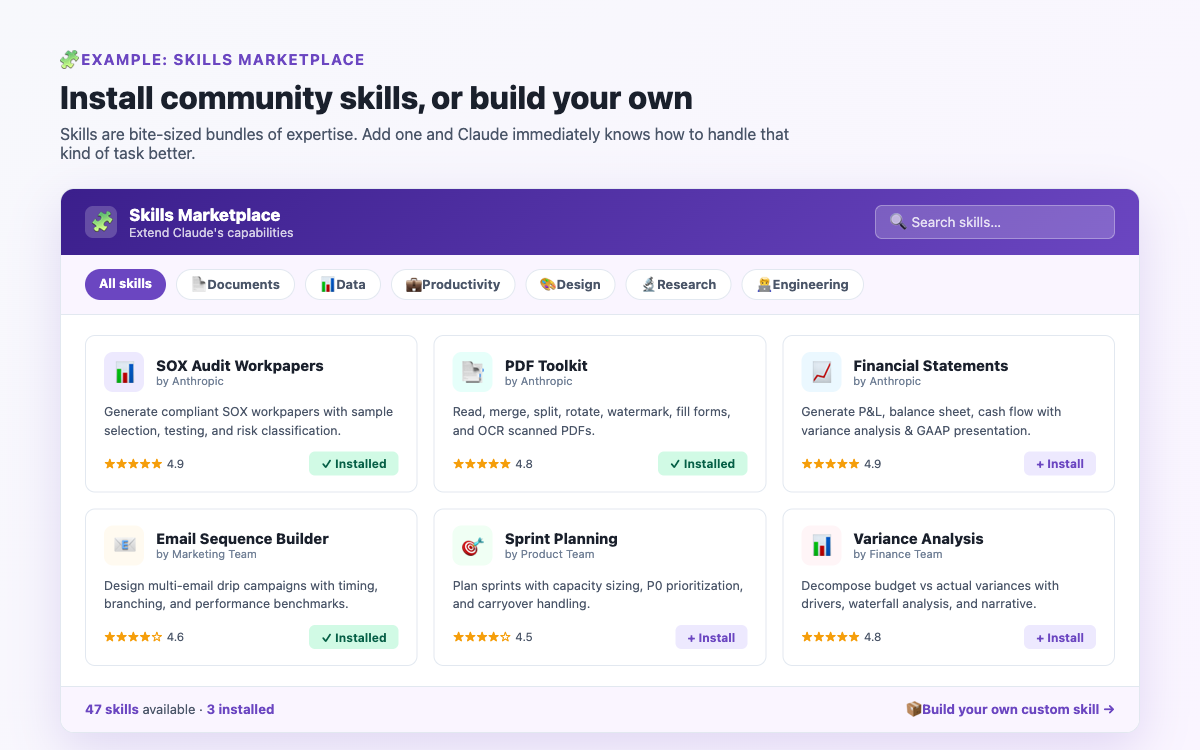
A Skill is a text file - usually called SKILL.md - that Claude reads before starting a task. It contains instructions, context, and rules that shape how Claude behaves. Once you set up a Skill, Claude follows those instructions automatically in every session where the Skill is active.
Think of it this way: every time you start a Cowork session without a Skill file, you're briefing Claude from scratch. You explain your business, your preferences, your format requirements, your tone. It takes time, and Claude only retains that context for the current session. A Skill file is that briefing - written down once, available forever.
Skills can be as simple as a paragraph ("always format documents using Arial 11pt, with numbered headings") or as complex as a full multi-page workflow with phases, decision trees, and output specifications. The format doesn't matter - only clarity matters.
Most new Cowork users spend their time crafting long, detailed prompts for every single task. This works - but it's inefficient, and you lose that context the moment the session ends. Skills solve this permanently.
The users who get the most consistent, high-quality results from Cowork are almost always the ones who invest an hour upfront writing a good Skill file. After that, their prompts get shorter and their outputs get better, because Claude already knows everything it needs to know about their work.
A well-written Skill also makes Claude more reliable. When Claude has to guess at your preferences, it will guess differently each time. When you've written them down explicitly, outputs are consistent session after session.
The easiest Skill to start with is one that captures your formatting preferences and tone. This alone eliminates the most common source of frustration - Claude producing documents that look nothing like what you wanted. Here's a template:
Save this as SKILL.md in your workspace folder. At the start of your next session, tell Claude: "Read SKILL.md before we start." From that point on, all your documents will follow these rules without you having to repeat them.
Once you're comfortable with format skills, the next level is a process skill - one that defines the exact steps Claude should follow for a recurring task. This is ideal for weekly reports, client proposals, data analysis, or any multi-step task you do regularly.
For anyone who sends a lot of professional emails and wants consistent quality without rewriting the same style instructions every time.
You can run multiple Skill files in a single session. Tell Claude: "Read SKILL.md and email-skill.md before we start." Claude will load both and apply whichever rules are relevant to each task. This is useful when you have a general formatting skill and a specific process skill for a particular task type.
The most reliable Skills include a built-in self-check. Adding a verification section tells Claude to review its own output before giving it to you:
Start small. Write a one-page Skill file that captures your formatting preferences and tone. Use it for one week and note what Claude still gets wrong. Add those things to the Skill. Repeat. After a month you'll have a genuinely useful, personalised instruction set that makes every Cowork session faster and more consistent.
If you have questions about Skills while you're setting them up, the Community Q&A has a dedicated Skills & Plugins section where users share their actual Skill files and compare notes on what works.
Co-Founder of BrandStori.AI with 25+ years of experience in the IT industry. Also the creator of @ottasia/mcp-server - an MCP server with 500+ npm downloads, listed in the official MCP Registry. A daily user of Claude's Cowork mode - every guide on this site is personally tested before publication, so you can trust what you read here.
Hand-picked guides covering related topics.
Extend Claude with installable Skills and custom plugins.
Read more →Connect your apps to Claude so it can act across them.
Read more →Set Claude to run daily, weekly, or one-off jobs on its own.
Read more →Get tips, updates & community insights on Claude's Cowork mode - straight to your inbox.
Get weekly tips & Cowork mode updates.